Field
Text entry in a recess, the label printed above it, and a hint that says how to fix an error.
Kit part · Inputs · Search bars
A recess for a question. A glass is printed on its floor at the start, the words run on, an optional count is printed behind an engraved line, and a clear key sits in the far corner while there is something to clear. Escape empties it.
Seats open in 11 days. Want one email that morning?
Both finishes, side by side. Hover, pressed and focus are forced with .is-hover, .is-down and .is-focus; checked and disabled are real.
Aluminium
| Part | Rest | Typed | Key hover | Key pressed |
|---|---|---|---|---|
| Field | ||||
| In focus |
Graphite
| Part | Rest | Typed | Key hover | Key pressed |
|---|---|---|---|---|
| Field | ||||
| In focus |
| Name | Kind | Values | What it does |
|---|---|---|---|
| <tui-search-field> | element | around the glass, input, count and key | The well. Without the script it is the same well round a search input. |
| input.tui-search-field__input | element | type="search" | The real field. It posts, and Enter submits a form around it. Give it a name with aria-label or a label. |
| button[data-search-clear] | attribute | empty button at the end | The clear key. The script gives it its glyph and name, and shows it only while there is text. |
| output.tui-search-field__count | element | optional, before the key | Where the count is printed. Hidden while it is empty. |
| count · total · unit · plural | attribute | numbers and words | The count and what it counts: count="3" total="8" unit="run" prints “3 of 8 runs”. plural is for words that do not take an s. |
| count | property | number | null | The number printed; null removes the count. |
| input · change | event | from the input | Fire for typing, for Clear and for Escape alike, so one listener does the filtering. |
| searchCountText(count, options) | function | { total, unit, plural } | The words a count prints: “No runs”, “1 run”, “3 of 8 runs”. Pure. |
| Escape · Enter · Tab | key | in the field | Empties it, and goes no further while there was text; submits a form; moves to the clear key. |
<search>
  <tui-search-field count="8" unit="run">
    <span class="tui-search-field__glyph" aria-hidden="true"><svg class="tui-icon" …></svg></span>
    <input class="tui-search-field__input" type="search" name="q" aria-label="Find a run" autocomplete="off">
    <output class="tui-search-field__count"></output>
    <button class="tui-search-field__key" type="button" data-search-clear></button>
  </tui-search-field>
</search>

<!-- A visible label above, as any field -->
<div class="tui-field">
  <label class="tui-label" for="q">Find a run</label>
  <tui-search-field>…</tui-search-field>
</div>
import { searchCountText } from '/kit/kit.mjs';
const field = document.querySelector('tui-search-field');
field.input.addEventListener('input', () => { // typing, Clear and Escape all fire this
const hits = runs.filter((r) => r.title.includes(field.input.value));
render(hits);
field.setAttribute('total', runs.length);
field.count = hits.length; // prints "3 of 8 runs" and says it aloud
});
searchCountText(0, { unit: 'run' }); // "No runs"
searchCountText(3, { total: 8, unit: 'run' }); // "3 of 8 runs"Needs kit.css and kit.mjs. How to install the kit.
type="search" input with a visible label or an aria-label; wrap it in <search> (or a form with role="search") when it searches the whole page or site.<output>, a polite live region, so “3 of 8 runs” and “No runs” are said as the list changes without taking the focus.It is the field’s well, 38px high, with the glass printed on its floor and the count set behind the same engraved line the input group uses for its words. The clear key is a small cap inset three pixels from the wall, so its corner is the well’s less that gap. The native cross of a search input is turned off so there is one clear key, not two. The script keeps the key in step with the text, says the count aloud, and turns Escape into a clear; filtering is the page’s own job and listens for input.
Filter a list as you type, say how many it found, and let Escape or one key start again, with nothing built but the well.
6 rules in this file, with the foundations they rest on and the anti-patterns that break them. Full rules ship in the brain with the Pass.
Text entry in a recess, the label printed above it, and a hint that says how to fix an error.
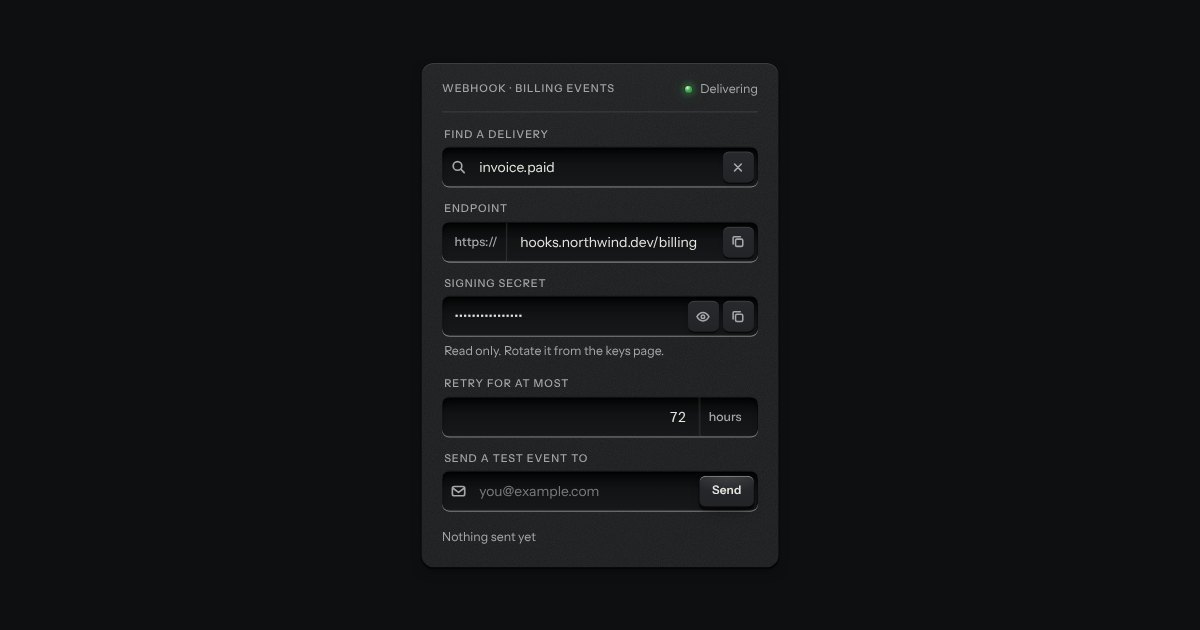
One recess that holds a field and everything that belongs to it. Words that are part of the value but are not typed, such as https:// or a currency, are printed on the floor of the well behind an engraved line; a glyph sits at the start; small keys sit at the end to clear the text, copy it, or show a password.
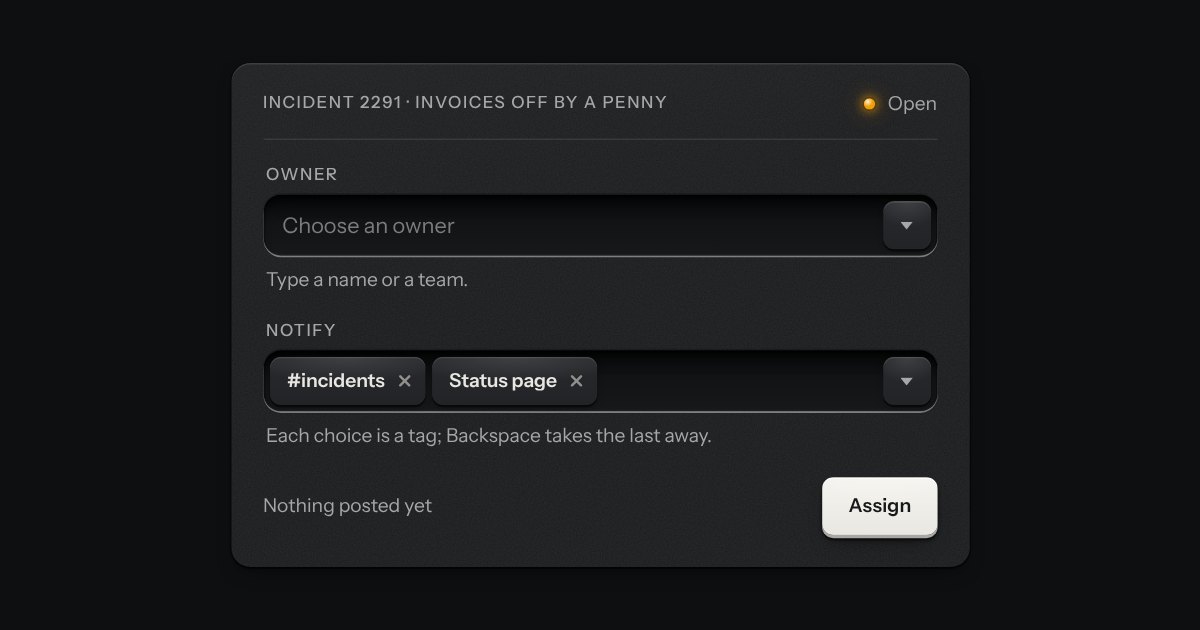
A field that filters a long list as you type. It starts as a plain select, so it posts with the form and works without a script; then the options card slides out of a slot under the well, the letters that match print heavier and the chosen option’s lamp is lit. Several choices sit in the well as tags.
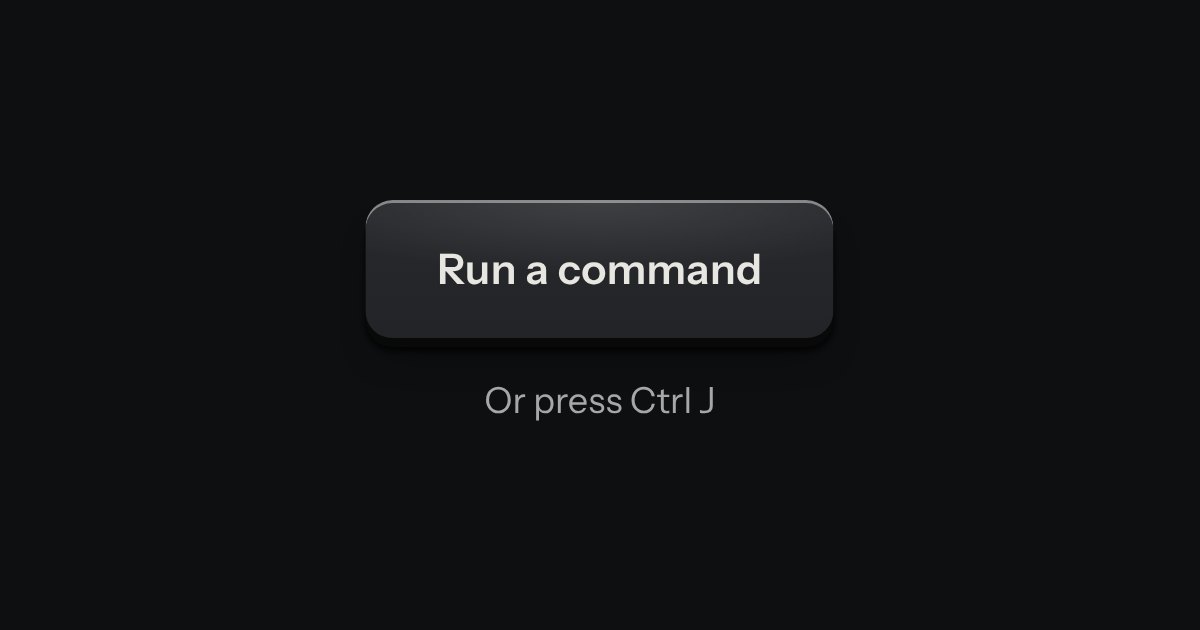
Every action and page behind one key: a modal plate whose entry line is a lit display, with the results printed below and the chosen one pressed in.