A pane of smoked glass laid over a panel while it works. The panel underneath keeps every pixel of its place, dimmed and a little out of focus, with one plate in the middle carrying a spinner and a line of words. Set aria-busy on the panel to lower the glass; what is underneath goes inert, so nothing in it can be pressed or tabbed to until the glass lifts.
Element
<section class="tui-panel tui-loading" aria-busy>
Needs
kit.css + kit.mjs
Rules
loading-overlay.rules.md · 6
Finishes
Aluminium · Graphite · Oak · Walnut · Porcelain · Black · Daylight · Night · Paper · Phosphor · E-paper · AMOLED
The glass and the plate on it, a polite status region. The focus lands on the plate if it was inside the panel.
.tui-loading__text
element
one line
What is going on, in words. Change it while the glass is down and it is said again.
setBusy(panel, busy, message?)
function
needs kit.mjs
Lowers or lifts the glass, sets the line and keeps the content inert and the focus safe. aria-busy set by hand is watched too.
syncBusy(panel)
function
needs kit.mjs
Makes the content match aria-busy, for a panel you changed some other way.
Markup
<section class="tui-panel tui-loading" aria-busy="false" aria-label="Invoice 0412">
  <div class="tui-loading__content">
    <!-- the panel, as it always is -->
  </div>
  <div class="tui-loading__pane">
    <div class="tui-loading__plate" role="status" tabindex="-1">
      <span class="tui-spinner tui-spinner--sm">
        <span class="tui-spinner__ring" aria-hidden="true"><i></i><i></i><i></i><i></i><i></i><i></i><i></i><i></i></span>
      </span>
      <span class="tui-loading__text">Saving your changes</span>
    </div>
  </div>
</section>
import { setBusy } from '/kit/kit.mjs';

const panel = document.querySelector('.tui-loading');

setBusy(panel, true, 'Saving your changes');   // glass down: content inert, the plate says why
await save();
setBusy(panel, false);                          // glass up: content live, focus returned

// aria-busy set by hand works too: kit.mjs watches it and keeps the content inert in step.
The panel carries aria-busy, which tells a screen reader its content is changing; the plate is a polite role="status", so its line is said when the glass comes down and again when the words change.
What is underneath is inert while the glass is down: it cannot be pressed, tabbed to or read, so nobody acts on a form that is mid-save. It is given back, with the focus, when the glass lifts.
If the focus was inside the panel it moves to the plate, which has a visible 2px ring, and returns to where it was when the work is done.
The glass dims what is under it, but the words are on an ordinary plate in ordinary ink (the same contrast as any other text), so they read the same in every finish. Where reduced transparency is asked for, the glass is solid.
Under reduced motion the glass appears at once and the spinner holds on one lit lamp; the words are the same.
How it’s built
The panel is given a second layer, an absolutely placed pane the size of the panel with the panel’s own corners, so the panel is neither replaced nor resized. The glass is the kit’s shadow colour at half strength with a little blur, a faint sheen from the upper left and a lit lip; the plate on it is a float plate, the same one a menu uses. The script does the one thing CSS cannot, making the content inert and looking after the focus.
Rules
loading-overlay.rules.mdIn the brain
Show that a panel is saving or refreshing without moving it or blanking it: the same panel, behind glass, with one line saying what is happening.
6 rules in this file, with the foundations they rest on and the anti-patterns that break them. Full rules ship in the brain with the Pass.
A ring of eight lamps lit in turn, a chase round a dial: each lamp is a dim cap with its light laid over it, and the light fades as the chase passes on, leaving a short tail. Only the light’s opacity moves. Amber, the lamp for work in hand. Under reduced motion it holds still on one lit lamp at the top, and the words still say it is busy.
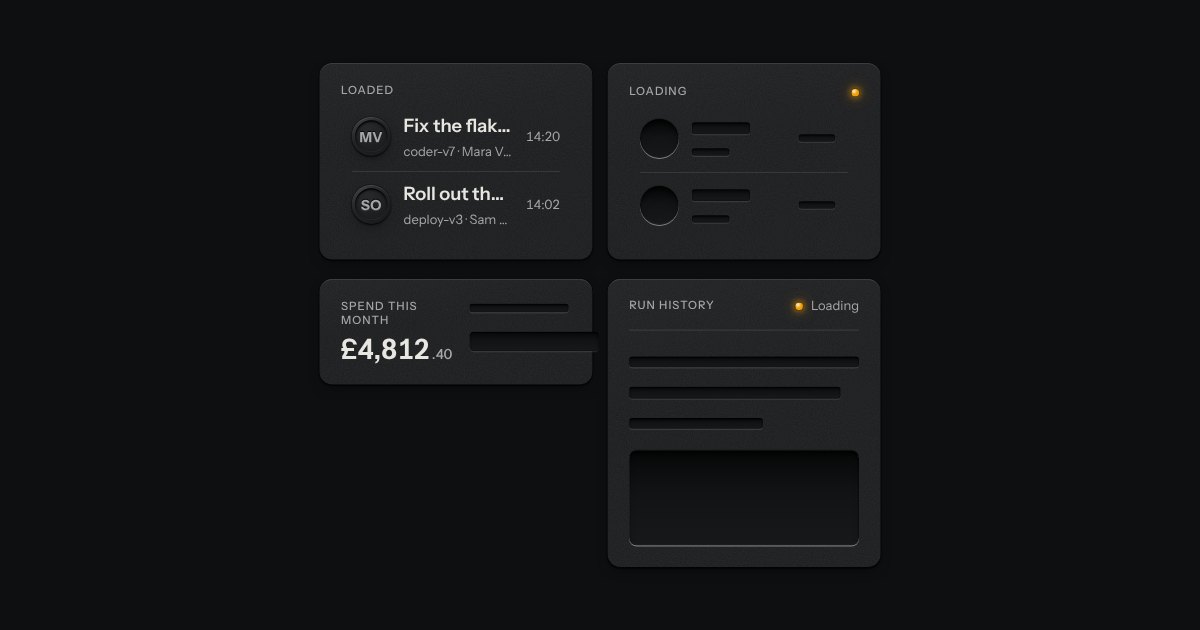
The shape of a page before its data arrives, drawn as the unprinted plate: blank engraved bars where the words will print. Nothing on it moves. One amber lamp beside “Loading” is the only sign of work.