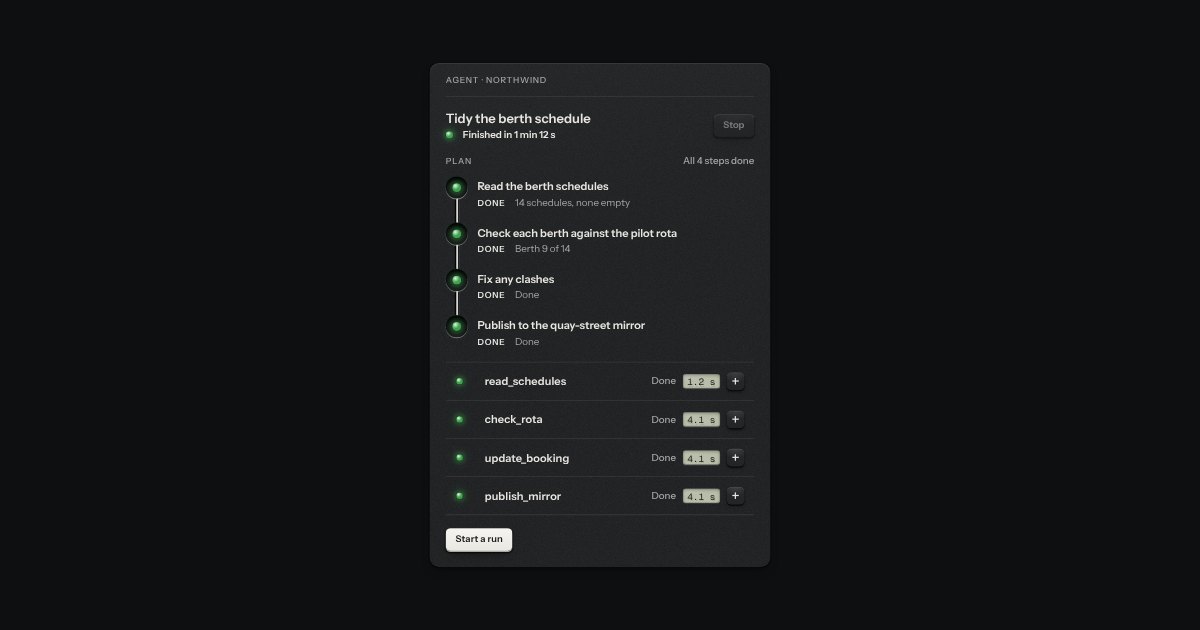
An agent’s plan as checked steps down a groove, with the pipeline’s stations stood on end. Each step is a socket with a lamp in it (green for done, amber and breathing for the one running, red for failed, an empty socket for waiting), the step in a sentence, its state in a printed word, and one line of what came of it. Ink runs down the groove as far as the plan has got. A step that was running when someone stopped the plan says Stopped.
Seats open in 11 days. Want one email that morning?
Anatomy
The pipeline’s stations and the onboarding’s groove, stood on end: a recess with ink drawn down it, a lamp in a socket for each step. The state word is small print in the step’s line; there is no box round it.
The markup, the count, the sentence said for a change, and the word for a state.
Usage notes
Press Run the plan: each step lights amber and breathes while it runs, then goes green with a line of what came of it. Press Make a step fail and the third step fails instead; the count at the top says so. Scroll the plan off screen and the breathing holds still.
Accessibility
It is an ordered list with a name and a visible count, and every step’s state is a word on the page (Waiting, Running, Done, Failed, Stopped) beside its lamp, so reading it is the same as seeing it.
The one line of outcome is plain text under the step, and a failed step’s line is set heavier. A change is said once, politely, as a sentence: “Step 2, Check each berth against the pilot rota: done. No clashes.” The lamps are hidden from a screen reader because the words say the same thing.
The breathing is a slow change in the lamp’s own opacity and nothing else moves. It is held still when the plan is off screen; under reduced motion there is no breathing at all and the amber lamp is simply lit beside the word Running.
The ink down the groove shows how far the plan has got, but the count at the top says it in words as well, so the groove is an aid and not the message.
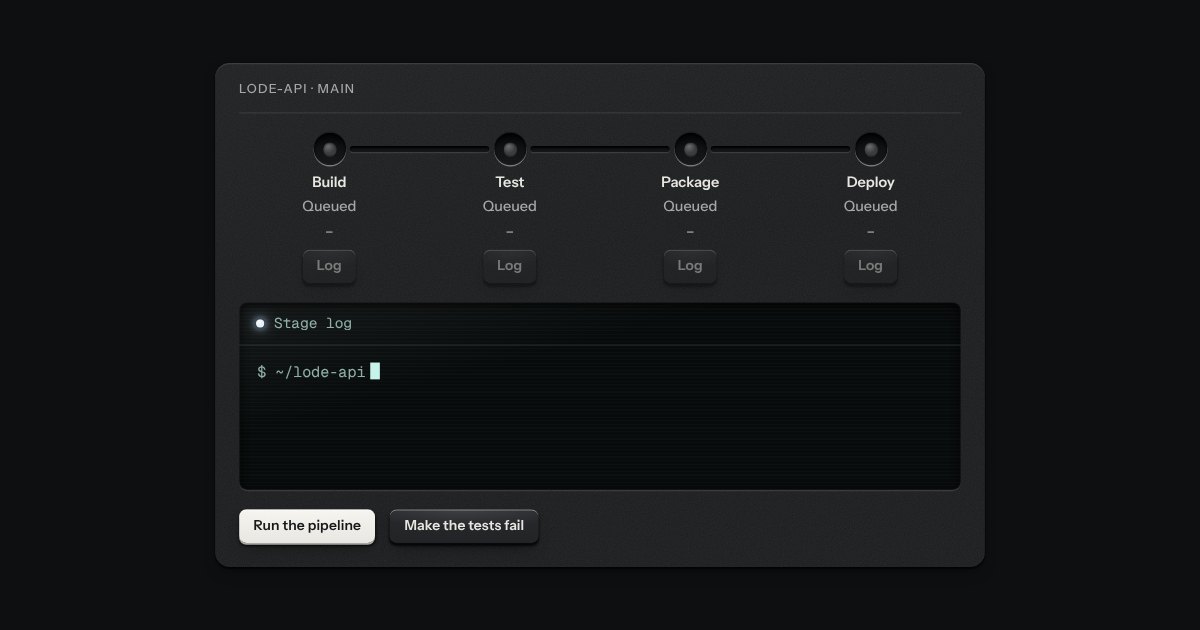
The stages of a build and a deploy as stations along a groove, like the program track of a machine. Each station is a socket with a lamp in it (green for a stage that passed, red for one that failed, amber and breathing for the one running, an empty socket for one that is waiting or was skipped) and under it the stage’s name, its state in words, how long it took and a Log key. Ink runs along the groove as far as the run has got. Wide, the stages stand in a row; narrow, they stand in a column with the groove down the side.
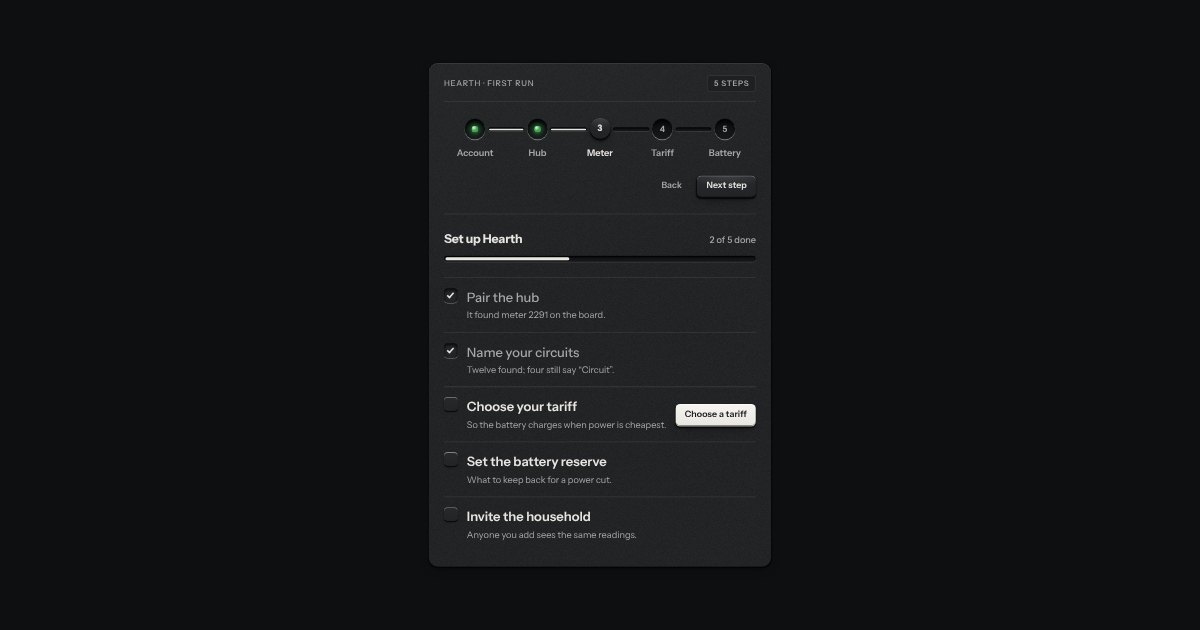
Setting something up: stations along a groove (done ones with their lamp lit, the current one a raised cap) and a checklist of check keys with a progress slot.
The panel for one run of an agent, laid out like any calm panel in an app: its name, a status line with a lamp, the state in words and the time it has been going, and a Stop key. Under it the plan as plan steps, and under that the tool calls as a plain list of the kit’s tool-call rows. Nothing is printed or torn off. The running lamp breathes by opacity alone and rests while the panel is off screen.
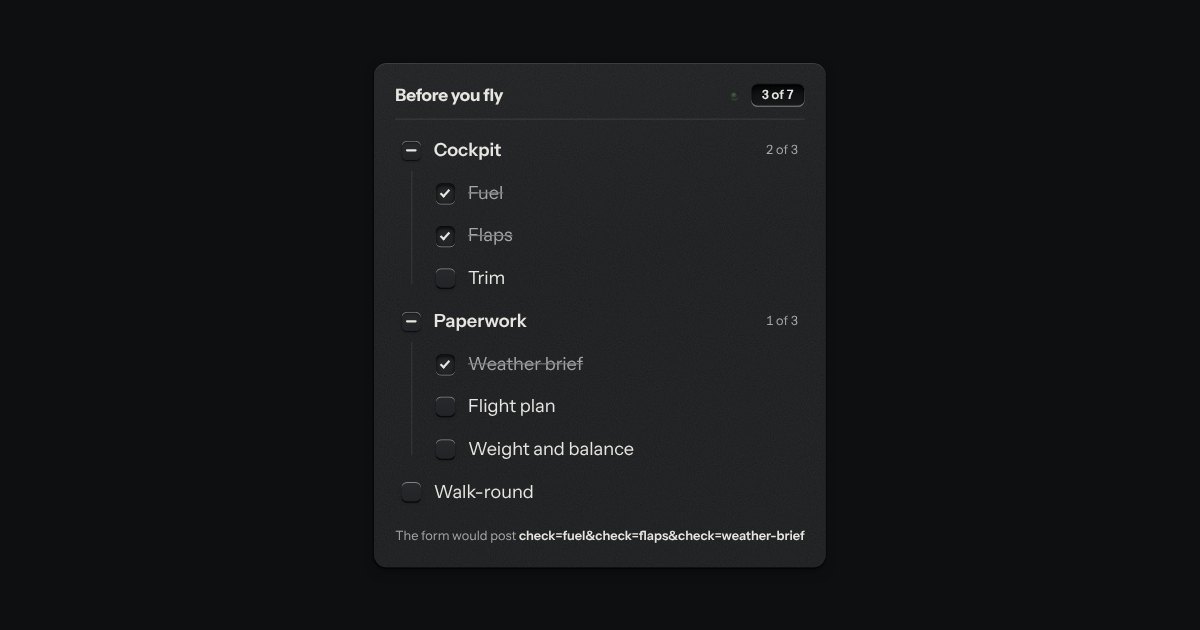
The kit’s check keys in nested groups. A group’s key is the sum of its items: all done, none, or some, and some is a key sunk halfway with a bar across it. The head counts the items, “3 of 7”, and its lamp lights when they are all done.