
Table
Rows of data with printed column labels, figures right-aligned in columns, and status in lamps with words.
Kit parts
A table you edit in place, the way a spreadsheet is edited. One cell is in focus at a time and the arrow keys move between them; Enter or F2 opens a cell for editing, Escape puts it back, and Tab keeps the edit and moves on. Paste a block of cells from a spreadsheet and it fills a block of the grid. Nothing is saved by typing: a row with changes keeps them as a draft, marks the cells that changed, lights a lamp, says “Edited” and carries its own Save and Discard keys.
Seats open in 11 days. Want one email that morning?
The kit’s table, field and keys. The grid is the table you already have, given roles and a last cell; an edit is the kit’s field laid into the cell, a changed cell is a corner tick and a heavier weight, and the lamp is the status lamp. It has no colour of its own: the only colour on it is the amber lamp, beside a word.
| Name | Kind | Description |
|---|---|---|
| th[data-key][data-type][data-required][data-readonly] | attribute | |
| th[data-min][data-max][data-integer][data-prefix][data-suffix] | attribute | A value outside them is refused with a sentence. |
| tr[data-id][data-flags] | attribute | A row. data-id names it in events; data-flags (“unpaid today”) is what a toolbar’s filter keys match. |
| rows · dirty · columns · counts | property | |
| commit(id) · fail(id, message) · discard(id) · filter(query) · setFlags(flags) · setColumns(hidden) | method | Make a draft the row; say a save did not work; put a row back; and what a table toolbar drives. |
| gridPaste() · gridParse() · gridFormat() · gridValidate() · gridMove() · gridPasteSays() · dataGridHTML() | function | Tab-separated text as rows, a cell’s text as a value, a value as printed, whether a text is valid for a column (and why not), where a key leads, what is said after a paste, and the markup. |
Tab into the grid, then use the arrow keys. Press Enter or F2 (or just type) to edit a cell, Enter to keep it and go down, Tab to keep it and go right, Escape to put it back. Change a cell and its row lights a lamp with Save and Discard. Press Paste a sample block to fill several cells at once; a number that is not a number is skipped and said so.
Rows of data with printed column labels, figures right-aligned in columns, and status in lamps with words.
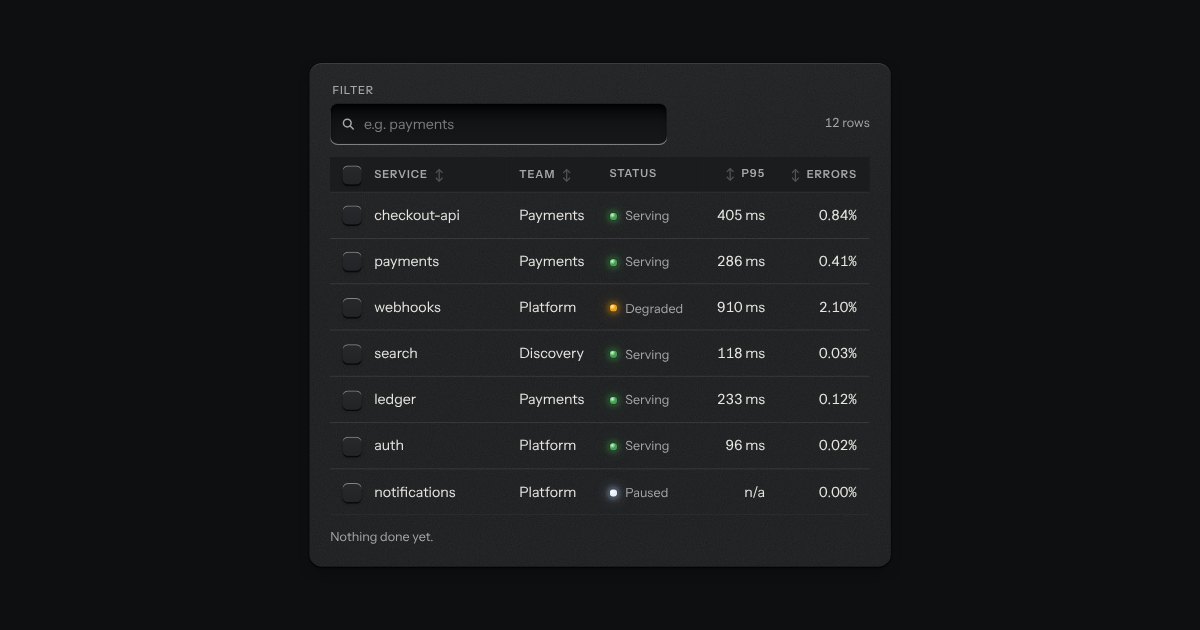
The kit’s table with the tools a working one needs: headers that sort, a filter well, a check key on every row with one in the header that selects them all and sinks half way when only some are chosen, and a header that stays at the top while the rows scroll under it. While rows are chosen a plate slides out of a slot under the tools, its lamp lit, carrying what can be done to them. Without the script it is the plain table.
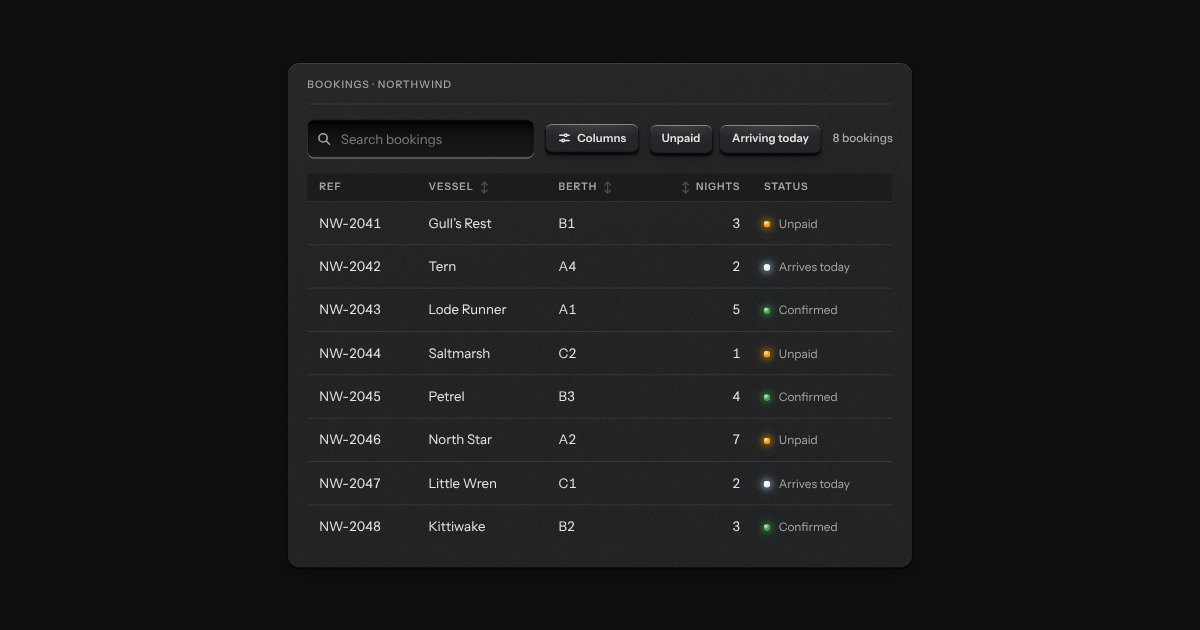
The strip over a table: a search well, filter keys that latch, a menu to choose which columns show, and the count of rows in view (“8 of 8 bookings”). It drives a data table or a data grid through the methods and events they share, so the table and its toolbar stay two parts. It tells the page about every change too, for a table that asks a server.
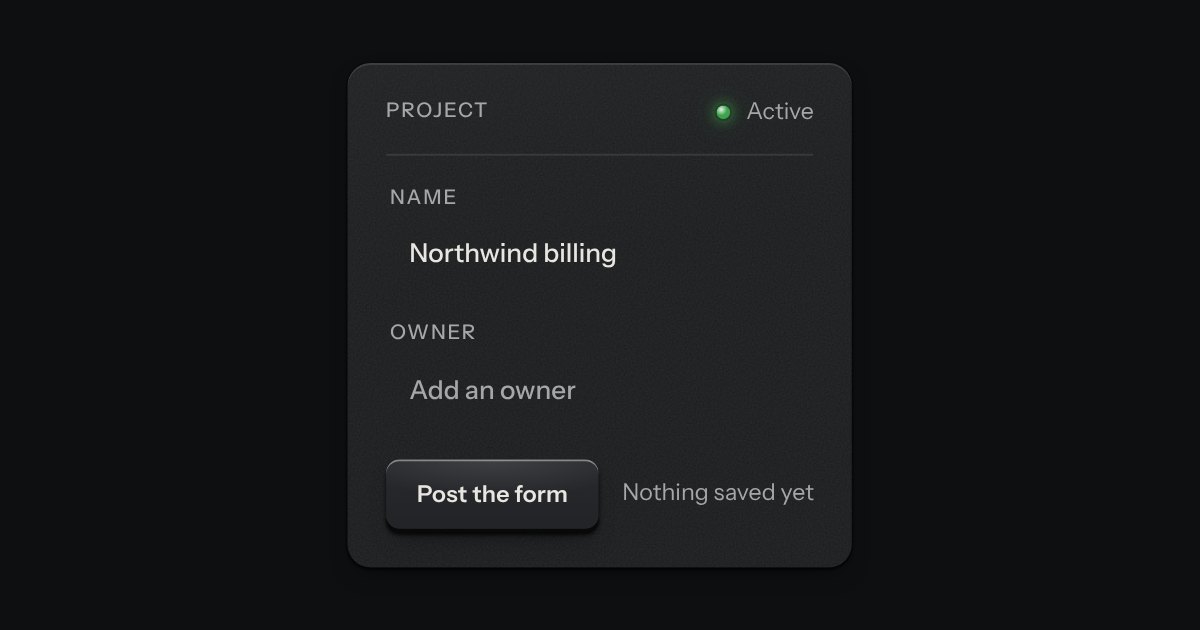
A printed label that becomes a field when you press it. At rest it is plain printing, so a page of them reads as text; under the pointer an outline and a pencil say it can be changed. Pressed, it is let into the plate as the field, in the same type, so the words stay where they were. Enter prints the new words back and Escape puts the old ones back.